Independent apps · open source

Small apps, woven for myself.

I build my own tools when I can’t find one that fits my needs perfectly, then share them in case they’re useful to others too. Free and MIT licensed, and your data stays on your Mac or your own server.

  • No account
  • No tracking
  • No ads
  • English & French
For your Mac

Two apps, one Mac.

Native SwiftUI apps, signed but not notarized: macOS asks you to allow them once, in Privacy & Security.

Navloom

v0.1.1FreeMIT

Keep your browser bookmarks and tabs in shape.

Brings back missing favicons, finds duplicates and dead links, copies bookmarks between browsers with their icons, and moves open tabs around. A backup comes before every change.
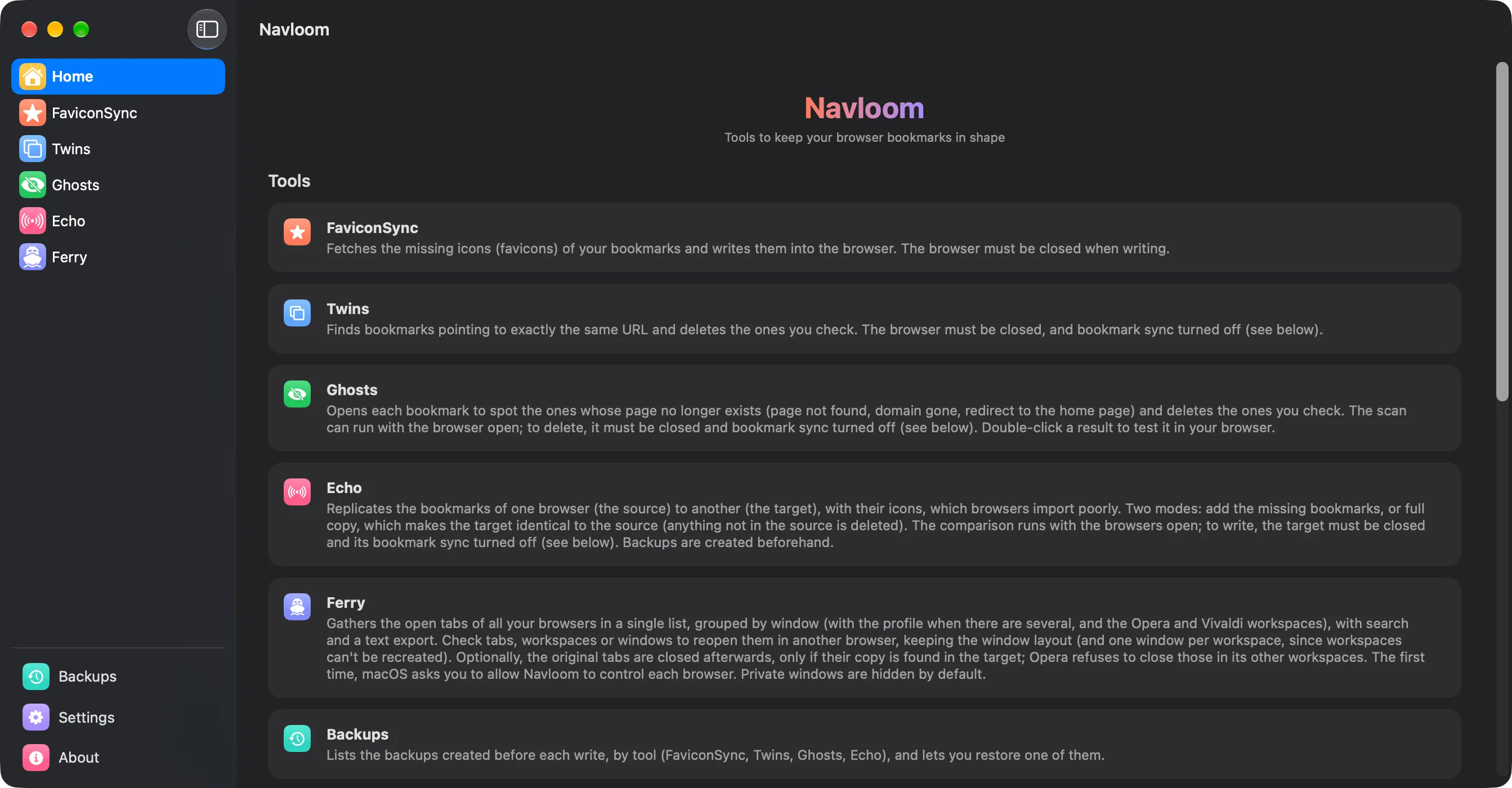
Navloom home screen listing its tools
  • FaviconSync
  • Twins
  • Ghosts
  • Echo
  • Ferry
DownloadLearn moremacOS 14.6+ · Chromium browsers

Flux

v0.3.1FreeMIT

A simple, good-looking RSS reader.

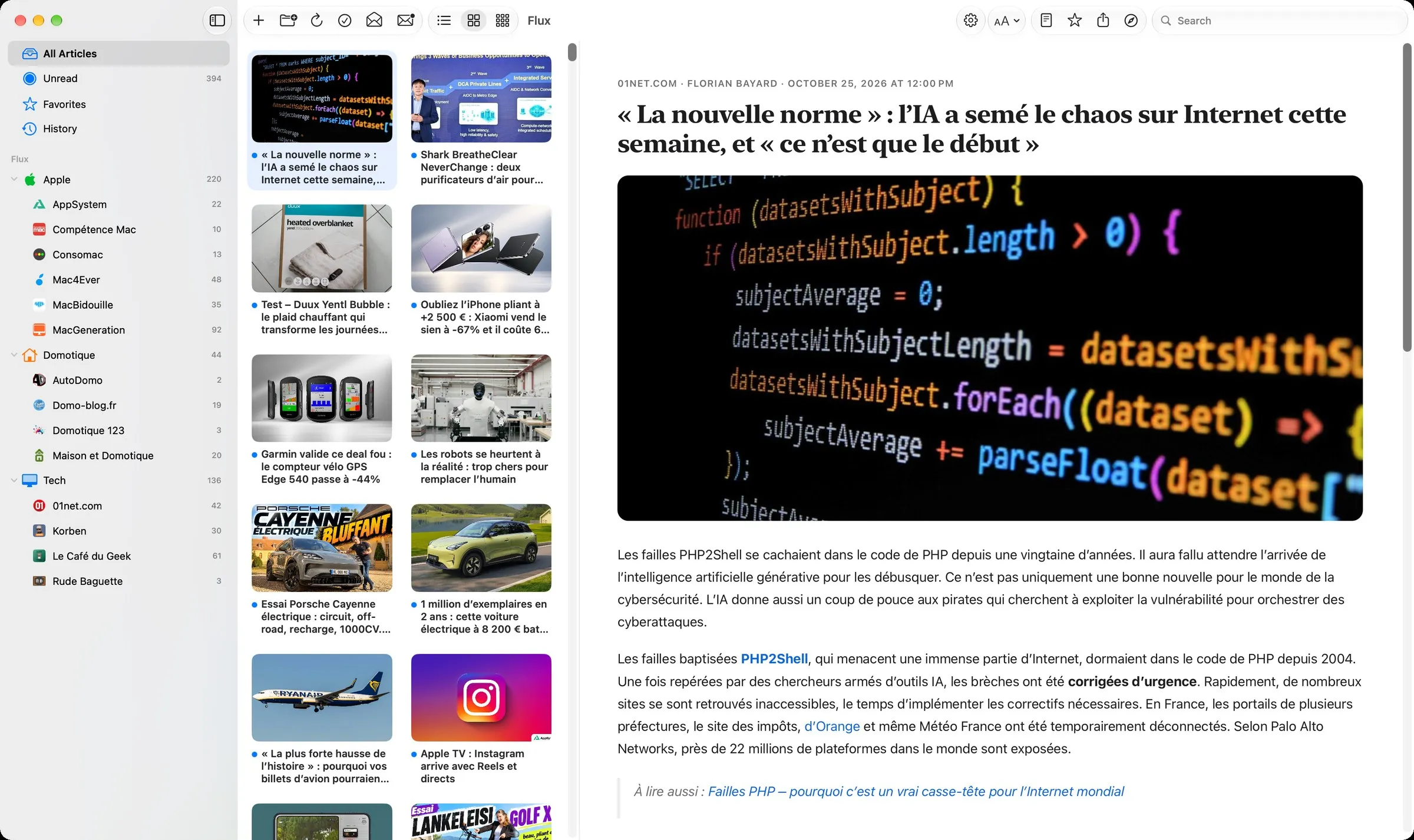
Add your feeds, browse them as a list or a grid, and read the full article right in the app. Similar stories from several sources are grouped, and your Macs stay in sync through iCloud Drive.

Flux main window with a thumbnail grid and an open article
  • Full articles
  • Similar stories
  • Offline reading
  • iCloud sync
DownloadLearn moremacOS 14+ · RSS, Atom, JSON Feed
For your home server

Self-hosted, too.

Runs in Docker on a NAS or a home server, with a web dashboard on your local network.

ForkWatch

v2.1.1FreeMIT

A safe copy of the Git repositories you depend on.

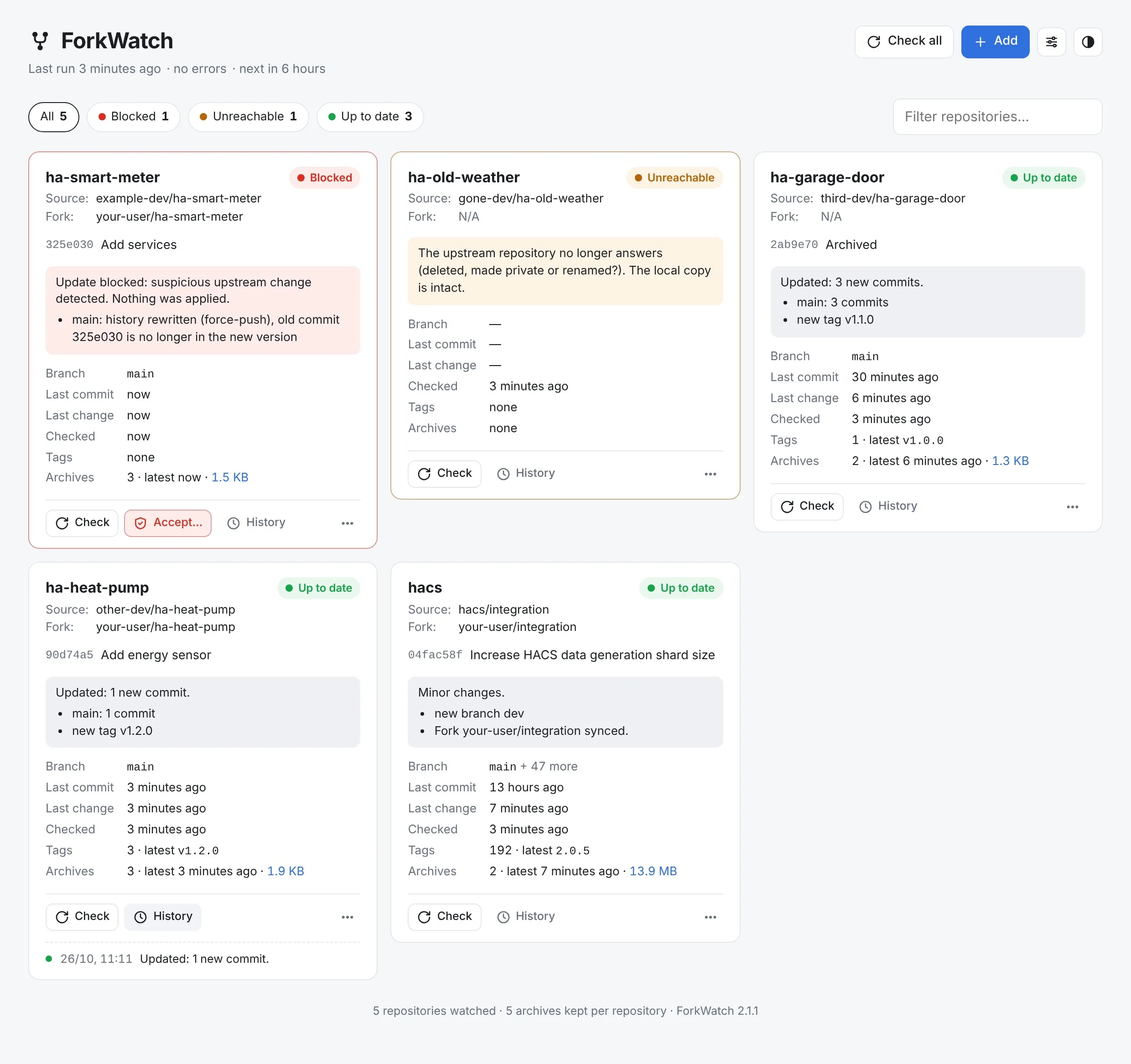
ForkWatch watches the third-party repositories that matter to you, archives every version and blocks suspicious updates, in case their authors delete or break them. Runs in Docker, with a web dashboard and Discord alerts.

ForkWatch dashboard with blocked, unreachable and up-to-date repositories
  • Archives
  • Blocks force-pushes
  • Web dashboard
  • Discord alerts
View on GitHubLearn moreDocker · NAS or home server

Built with Claude

I come up with the ideas, make the design decisions and test every version on my own machines. Much of the code is written with Claude, Anthropic’s AI assistant. I’d rather say so upfront.

Blog

Notes from the workbench.

Home automation, macOS and the making of these apps. First posts coming soon.